Showing posts with label review. Show all posts

Friday, May 17, 2013

App Review: Save To Phone

I like to browse images online quite often. I love finding new things, cool shots and funny pics too... And I've always been a fan of beautiful panoramic landscapes. But some apps do not include an option to download and save the images that you are viewing, so what do you do then?

Here is a very handy app to solve that problem. Named "Save To Phone" it does just that when you send the image to it using the Share menu which pretty much every app has. You can set a default download folder and have it save the image automatically or ask you for a filename each time.

I have been using this app for quite some time now without a hick. It is small, simple and very fast. While browsing images in an app without a save option, I simply share the image to Save To Phone and voila, I see a notification telling me that it has been saved successfully.  I'm loving this and am wondering why this kind of feature is not available natively on my phone out of the box.

Try it out today!

Check out "Save To Phone"

Tuesday, August 14, 2012

Review - MailStore Home v7.0.7.7671

Every now and then a server goes down. It's a fact of cyber-life. For a simple website hosting a video game, a song, a video or the like, this won't be such a big deal, but what if it was your email that was unaccessible?

I present to you the free version of MailStore. It will fetch mail from your accounts using POP3 or IMAP4 and store them on your hard disk for searching and reading. It comes ready to access many popular servers such as Hotmail and Gmail, and can export to text files or certain email client database formats.

Of course this won't let you read new mail while the servers are down, but at least your old messages will be there.

Free, easy to use, small learning curve. The rest will become a habit that you won't regret the next time you'll need to find that bit of info that you didn't write down when your email goes offline.

---


Tuesday, August 7, 2012

Review - Nocs v2.3

I like writing things in plain text files such as to do lists, memos, quotes, etc. Since they have ridiculously small file sizes and are universal, so to speak, being compatible with any system. 

When I'm not at my computer however I cannot access them. I could use an online service to store them, but what if the server is offline when I need it? Let's make all this much simpler... 

Nocs is a tabbed plain text editor which allows you to save your files to disk like notepad, but also to your Google docs (now Google drive) account, allowing you to access them when not at your PC. As a bonus, since you can save the files on your hard disk, you could also sync them with a client installed, such as the one from Dropbox. Copies and backups everywhere! 

Nocs hasn't been updated in a while, but runs smoothly on my machine none the less. It's free and requires .NET 4. 

---
URL: http://code.google.com/p/nocs/


Tuesday, June 12, 2012

Review - F.lux

We all wind up staying at the computer late at night from time to time, be it to read up about something interesting, chat with some friends or just mindlessly surf around. During this time however, our eyes are staring at a bright light for hours on end. Not a good thing. Here's a nice "set it and forget it" type program that will help ease their pain. 

By telling f.lux your location you allow it to automatically change the warmth of your display when the sun has set, which in turn lets your eyes relax instead of being burnt. This is not the same as turning down the brightness however. This is much nicer. 

You can adjust the lighting settings and disable the effect for an hour if you are doing color-specific work. 

Give it a try, it comes in Windows, Mac, iPhone/iPad and Linux versions. You've got nothing to lose, but much to gain! 

---


Tuesday, May 24, 2011

Review – Aviary

When I need to quickly touch up an image or create a simple one to upload somewhere I hate having to load up a big editor on my PC.  I figure why not have one that can get the job done in a snap and start-up quickly too?  That's when I find Aviarys website particularly useful.

The apps are made in flash and are rather powerful.  This also means that you don't have to install them and can use them anywhere.  On the site you can find many handy apps like a vector editor and an image editor (which easily beats stuff like MS Paint) and even a sound editor.

I uninstalled a program I was using to learn a bit about creating vector images when I found this site just to give you an idea of how impressed I was.

There are many other online image editors out there but I've found that this one is the most complete.

---

URL: http://www.aviary.com/


Aviary

Sunday, May 22, 2011

Review – Avira AntiVir Personal v9

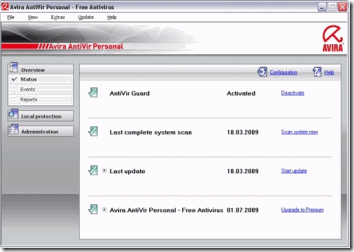
I've tried many anti-virus programs in my day.  Some were too slow, some were too resource intensive, others just became so bloated that it was darn right silly.  Why, in a time where computers had much less RAM and hard drive space, would you make your security program so big and laggy?

The computers we use today no longer have such limitations, but it is no excuse to stop using well-made software.  Avira Antivir is a commercial anti-virus which also comes as a very good free version.  In fact, it rates highly in the av-comparatives.org test results every time.  The only price to pay for such security is a pop-up window once a day during definition updates.  But that's not that bad now, is it?  You have a small, fast scanning, regularly updated anti-virus to protect you.

I've tried others and yet I keep coming back to Avira.  Why use anything else when you have a free product that is as good as or better than pay products after all?  Save yourself some money and get yourself some peace of mind.

---

URL: http://www.avira.com/en/avira-free-antivirus

Avira Antivir

Thursday, May 19, 2011

Review – Canabalt

This little flash game got me hooked on the first try.  Imagine if you will a game so simple, you only need to use one key on your keyboard.  Sounds like an old school game from Atari or something, right?  Well what if I told you that you didn't even need to move around, but only jump using that one key?

Canabalt is a very fast-paced side scrolling game where your player is running at high-speed through a city under attack and you must help him jump over obstacles, through windows and from one rooftop to the next.  It sounds rather simple but you really must pay attention because anything can and will happen.  The events and buildings are generated randomly every time you start the level so there's no way you'll be memorizing a way through it all anytime soon.

This one is a classic and a definitive keeper.  Most highly recommended to anyone.

---

URL: http://www.adamatomic.com/canabalt/


Canabalt

Tuesday, May 17, 2011

Review – CCleaner v3.04

Privacy on a computer may be an oxymoron, but a bit of help never hurts.  Enter Ccleaner (formerly called Crap Cleaner), a small and fast utility that can be used to remove certain traces of your computer usage to give you back a bit of privacy from snooping eyes.

The most basic function that this program offers is to clear out MRU (most recently used) lists from Windows and supported apps on your computer, such as text editing programs and web browsers.  It also goes beyond that to clear out temp files, invalid registry entries and your DNS cache.

Two other included features are basic control over what programs start with Windows and an alternative to the Add/Remove control panel list which loads up faster than the OS equivalent.

As with all system utilities however, caution must be used so that your system doesn't get pooched, but I am including this review for the more tech-savvy user anyhow.

Enjoy!

---

URL: http://www.piriform.com/ccleaner/

CCleaner

Sunday, May 15, 2011

Review – Defraggler v2.03

Although I have previously reviewed MyDefrag, I wanted to quickly mention Piriform's Defraggler.

This program can defrag a drive for you the same as other defrag apps, but what I like about it is the option to defrag individual files.  This way if you only have a dozen or so files that are fragmented you won't have to run through the entire drive.  There are some disadvantages however to foregoing a proper defragmentation and optimization procedure, so a program like MyDefrag is usually prefered.

---

URL: http://www.piriform.com/defraggler/

 Defraggler

Thursday, May 12, 2011

Review – Fancy Pants Adventure

I've never seen such quality in a flash game.  This one is so much fun with an incredible attention to detail.  Lots of action, tons of special moves!  A great time all in all.
I can't really describe it to you, you must play it to believe it.  I recommend this game to anyone at any time.
---
URL: http://armorgames.com/author/DrNeroCF
Fancy Pants Adventure

Tuesday, May 10, 2011

Review – FileMenu Tools v5.8.1

Now here is a great tool for the power user.  Power-up your context menu with a list of handy built-in functions and add in your own too!

Split and join files, create new folders with ease, select certain file types in the current folder or even securely delete files, just to name a few of the built-in functions.  The real power is that you can add in shortcuts to other programs when selecting folders or files, or running a specified editor of your choice when you right-click on a file.  You could add in a few web browsers and choose which one to launch with the HTML file you just clicked or select all images and move them to a folder of your choice.

These are all just quick examples but there is so much you can do with this program it's almost unreal.

Definitively recommended for any serious user for extra control and for saving time.

---

URL: http://www.lopesoft.com/en/fmtools/info.html

FileMenu Tools

Sunday, May 8, 2011

Review - Dropbox

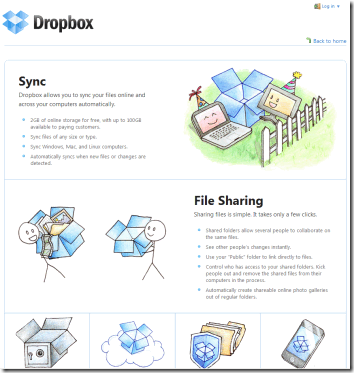
If you ever need to share or sync your files with different computers, users or even on smartphones then this app is for you.

Dropbox creates a folder on your hard drive and monitors it for changes.  Anytime a file or folder is created, modified or deleted in it the program syncs it with your Dropbox account online.  From there, any other Dropbox client set up with it will automatically update its own copy.

Another nice part of this service (which uses Amazon S3 so it is fast and has good uptime) is that you can easily share links to files that are placed in your public folder.  You can send these to other people who do not have a Dropbox account and the link will always point to the updated version of your file.  Public links cannot be searched so people can't stumble upon your other files, and you have 10 gigs of bandwidth a month for your shares.

You also have a gallery folder which can be used to create and share image galleries with others.

Your free account will give you 2 gigs of space but you can refer people to the service and get more quite easily.

An excellent service at an excellent price (free for basic) I suggest you try it out if anything in this article has caught your eye.  After all, having an offsite backup can always come in handy, and Dropbox lets you recover deleted files and even go back to earlier versions if you wanted to undo file changes.

One last note: If you click the Alternate URL link below when you join up and install the program, we will both get 250MB extra space.  I’d appreciate it.

---

URL: http://www.dropbox.com/

Alternate URL: http://db.tt/tBUR9hJ

Dropbox

Thursday, May 5, 2011

Review – FluffyApp v1.05b

Mac users have a nice little utility they can download called CloudApp that let's them upload files by simply dragging and dropping them on the icon in the taskbar.  FluffyApp is a windows program that allows you to do the same thing.

When you drop a file on the cloud icon in the system tray it will be uploaded to your CloudApp account (also free) and the link for it will be copied into your clipboard, ready to be pasted into a post on a forum, in an e-mail or an instant message.  It serves its purpose well, taking a few steps out of a usually boring and repetitive process.

It requires the .Net runtime to work, and takes about 40 megs of memory.  If you need to share images, links or text often with others online then this app just might be for you.

---

URL: http://www.fluffyapp.com/

FluffyApp

Tuesday, May 3, 2011

Review – CoreTemp32 v0.99.8

This is a handy utility that stays in the system tray and shows you the temperature of your CPU core(s).  I have it set to show me the highest value at all times so that I can passively check how hot my PC is running.

---

URL: http://www.alcpu.com/CoreTemp/

CoreTemp32

Sunday, May 1, 2011

Review - Grooveshark

I found this site a short while ago and must say that I've been hooked ever since.

Using a browser that supports HTML5 (such as the previously reviewed Chromium) you have access to an on-demand streaming music service.  Contrary to another one of my favorites, Shoutcast, Grooveshark has not only a couple of streaming stations, but a vast library that you can listen to by searching for artists and song titles.

The songs load quickly so you'll be listening to your favorite tunes in no time.  Try typing in some obscure one hit wonder from years ago and you will most likely find it.  I've read that since it is managed by users some of the songs will be of lesser quality, but those I've played so far sounded great to me.

So the next time you're relaxing around your home or working on the computer, why not stream a few tunes to pass the time?  Like they said during Intermission: "Music soothes even the savage beast".

---

URL: http://www.grooveshark.com/

Grooveshark

Thursday, April 28, 2011

Review – ImgBurn v2.5.5.0

For times when a barebones disc burner won't do, give ImgBurn a try.  It handles the main media types (CD/DVD and Blu-Ray) and allows you to pick details such as the disc filesystem and  if it will be bootable, for example.

You also can make copies of your current discs with it, either directly or after saving the contents as an ISO image file on your hard drive.

The program is small and free of cost.  When an update comes out, you can be sure that the list of changes and additions will be about a page long, too.

---

URL: http://www.imgburn.com/

ImgBurn

Tuesday, April 26, 2011

Review – JDownloader v0.9581

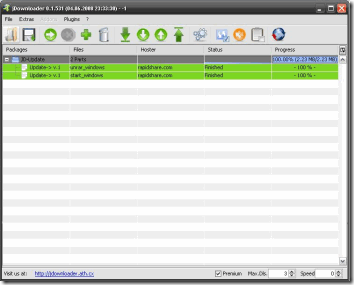
Are you a heavy user of file-sharing websites such as Rapidshare, Megadownload, Fileserve and the like?  This program just might be for you.

Requiring the Java runtime environment, this program will allow you to paste in all of your download links and it'll do the rest.  No more waiting for the seconds to count down before clicking on the download link, just hit the start button and do something else on your PC or around your home.  What fun to wake up or come back from work to find all your downloads complete and waiting for you?

This app supports a whole slew of sites, can also be used for premium accounts, regular file downloads from websites too, and it auto-updates, making sure that you can always get the files you want.

(Quick edit!) A friend pointed out to me that if you hand JDownloader a YouTube URL it will allow you to download the video in any format and quality that it comes in on the site.  I've tried it out and must say it works great!

A must for any serious downloader.

---

URL: http://www.jdownloader.org/

JDownloader

Sunday, April 24, 2011

Review – KeePass v2.14

These days it's so frustrating trying to remember all of your logins and passwords for the sites you visit.  That is of course IF you can remember all the sites where you have created accounts!

KeePass helps with this problem quite nicely.  It lets you create an encrypted database file in which you can store your login credentials, notes and even some files if need be.  You can encrypt it all with a password and even a key file for extra security.

There are many nice options in this program: You can specify details in the way it will encrypt your data, it can protect its memory from snooping, when you copy a username or password to paste it elsewhere it will clear it out of memory after a few seconds, and the very handy autotype feature which lets KeePass send your login credentials to another program safely.

Some users even copy their database file to their Dropbox folder so that any computer they use can get access to their passwords in a safe way.

---

URL: http://www.keepass.info/

KeePass

Thursday, April 21, 2011

Review – Mozilla Plugin Check

This webpage offers a quick plugin version check to make sure those you have installed are up to date.  This makes sure you have any updates, patches and bug fixes to keep your browsing and security at it's best.

It does a faster checkup then Secunia PSI but only checks your plugins to make sure they are safe, instead of your installed software.

Just another way browser companies are trying to keep web users safe.

---

URL: http://www.mozilla.com/plugincheck/

Mozilla Plugin Check

Tuesday, April 19, 2011

Review – MyDefrag v4.3.1

This time I present to you a defragmentation utility.  Formerly known as Jkdefrag, this app has been vastly improved with the addition of scripting. 

You can now select the defrag and optimization rules from a simple GUI instead of having to rely on the command line. The disk drive is presented in a slightly odd way, with a barebones interface that shows the drive's contents from end to beginning.  It comes with scripts to allow you to analyze a drive, defragment or optimize it (choosing either system disk or data disk as the type of contents of the partition).

The nicest part is that you can write-up your own scripts to make it optimize your drive the way that best suits you.  You have plenty of document on the official website, and the forum consists of members posting their own scripts or helping you with yours.

Some say that with the computers people have today defragmentation no longer makes a noticeable difference on a system, but I've always felt that it doesn't hurt it, either.

An important note of interest though:  Never defragment a flash-based memory drive, such as an SSD drive, flash drive or memory card (so that rules out MP3 players and iPods, cameras, etc.) Because it will quickly wear them out, leaving you on the losing end.

---

URL: http://www.mydefrag.com/

MyDefrag